
Animation Pipeline
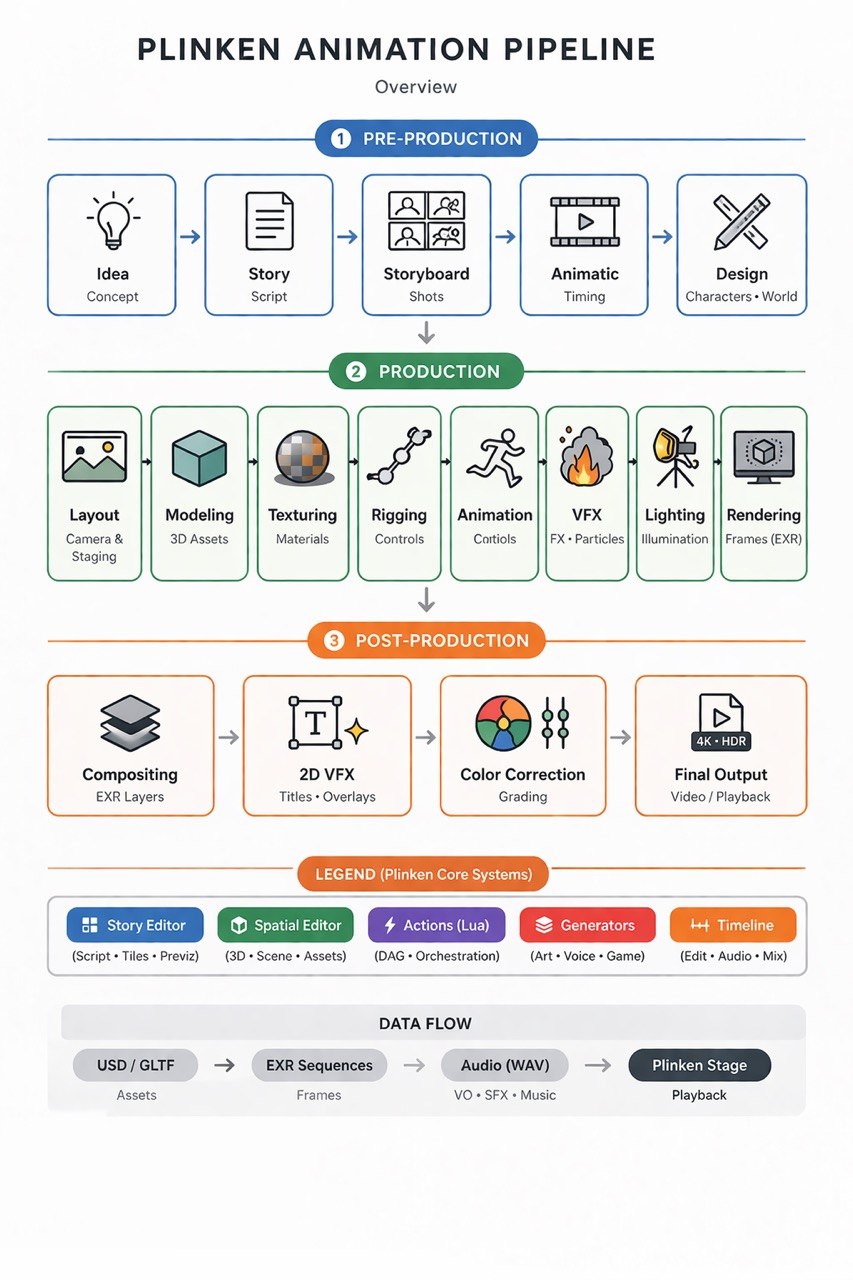
Plinken is a full animation & film production pipeline in a single app. Three phases, five core systems, one data flow.
Pre-Production
Section titled “Pre-Production”The creative foundation — from concept to production-ready designs.
| Step | What | Output |
|---|---|---|
| Idea | Concept development | Brief / treatment |
| Story | Script writing | Screenplay (.fountain) |
| Storyboard | Shot planning | Boards / tiles |
| Animatic | Timing & pacing | Timed sequence |
| Design | Characters & world | Character sheets, environment art |
Use the Story Editor for scripts, storyboard tiles, and previz sequences.
Production
Section titled “Production”Where assets are built, animated, lit, and rendered.
| Step | What | Output |
|---|---|---|
| Layout | Camera & staging | Scene setup |
| Modeling | 3D assets | USD / GLTF meshes |
| Texturing | Materials | PBR textures |
| Rigging | Controls | Rigs / skeletons |
| Animation | Motion | Keyframes / curves |
| VFX | FX & particles | Simulations |
| Lighting | Illumination | Light setups |
| Rendering | Frames | EXR sequences |
Core systems involved:
- Spatial Editor — 3D scene, assets, and spatial layout
- Actions (Lua) — DAG-based orchestration and automation
- Generators — AI-powered art, voice, and game asset generation
Post-Production
Section titled “Post-Production”Compositing, grading, and final delivery.
| Step | What | Output |
|---|---|---|
| Compositing | EXR layers | Composited frames |
| 2D VFX | Titles & overlays | Graphics |
| Color Correction | Grading | Final look |
| Final Output | Video / playback | 4K · HDR deliverable |
Use the Timeline for editing, audio mixing, and final output.
Core Systems
Section titled “Core Systems”Plinken’s five core systems span the entire pipeline:
| System | Scope |
|---|---|
| Story Editor | Script · Tiles · Previz |
| Spatial Editor | 3D · Scene · Assets |
| Actions (Lua) | DAG · Orchestration |
| Generators | Art · Voice · Game |
| Timeline | Edit · Audio · Mix |
Data Flow
Section titled “Data Flow”USD / GLTF → EXR Sequences → Audio (WAV) → Plinken Stage (Assets) (Frames) (VO · SFX · Music) (Playback)- Assets are authored in the Spatial Editor and stored as USD or GLTF
- Frames are rendered to EXR sequences, ready for compositing
- Audio — voice-over, SFX, and music — is mixed on the Timeline
- Plinken Stage brings it all together for final playback and delivery (4K · HDR)